Hey guys, let’s cut to the chase: if you’ve ever plugged a webcam into your laptop, grabbed a wireless mouse out of the box and had it work without downloading a single driver, or even hooked up a portable external hard drive and started transferring files immediately, you’ve used a plug and play device. But what is it, exactly? And as someone who’s been in the plug game for years (we supply plugs, cables, and all the gear that makes this tech magic actually work), I’ve gotten so many questions from folks who mix “plug and play” up with just “regular electronics.” Let’s break this down like we chat over a coffee—no jargon, no boring textbook stuff. Plugs
First, let’s start with the basics back in the day. Remember when you used to install a new printer? You’d pop the CD that came with it, sit through 10 minutes of clicking “next” on weird prompts, restart your computer, and then maybe it still wouldn’t work right? That was the pre-plug and play era. Your computer didn’t automatically talk to the new hardware; it needed a custom set of instructions (that’s the driver, by the way) to recognize what was plugged in. It was a pain, especially if you weren’t super tech-savvy.
Plug and play (we often shorten it to PnP around the shop, makes for faster texts and memos) was developed to fix that mess. Think of it as a universal translator between your device and your computer. When you plug a PnP device in, three things happen automatically in the background, no work from you. First, your computer detects that a new hardware device is connected. Second, it figures out exactly what kind of device it is—Is it a keyboard? A speaker? A lighting strip? Third, it loads the right tiny driver it already has stored, and sets everything up so you can use it immediately. No CDs, no Google searching for “how to install a driver for my wireless earbuds.” That’s the whole point.
Wait, hold on—this isn’t just for computers, right? We sell a ton of PnP devices that work with phones, too. Those phone chargers that auto-adjust to your phone’s battery level? Yeah, that’s a PnP feature too. They communicate with your phone through the USB-C port, send a quick signal, and know exactly what voltage to send so you don’t fry your battery. Even smart lights you plug into a smart plug? If the smart plug is PnP, you don’t have to mess with pairing codes most of the time—your home Wi-Fi router just recognizes it right away.
Now, let’s clear up a common myth: not every device that plugs into something is a plug and play device. A old-school external hard drive that you had to reformat for your computer? Not PnP. A vintage camcorder that only works with a specific laptop and needs proprietary software? Nope. PnP relies on two key things: industry-standard communication protocols and built-in auto-recognition. Those protocols? Stuff like USB, HDMI, Bluetooth Low Energy, even Thunderbolt—all of them have built-in rules that let devices and host machines (laptops, phones, smart screens) talk the same language. That’s why a random webcam from 2023 works on your 2021 laptop, no fuss. As a plug supplier, we make sure every connector we sell is built to meet those standards, so you can plug in our cables and devices without hitting snags.
Let me give you a real shop example to make this concrete. Last week, a customer came in panicking. He’d bought a new gaming headset online, and when he plugged it into his PC, it didn’t work. He tried reinstalling drivers, restarting, even checking if the port was broken. Turned out, his headset wasn’t a PnP model—its manufacturer forgot to pre-load the basic USB driver for Windows, so his computer didn’t recognize it. We sent him home with one of our cheap, reliable PnP USB headsets, and he texted us 10 minutes later saying he was gaming with it. That’s the difference, right? If you’re a regular user, you don’t care about the tech—you just want to plug in and go.
But PnP isn’t just consumer tech, either. We work with small business owners all the time who need gear for their shops. A café owner will come to us needing POS systems that work with their existing tablets—they don’t have an IT team to spend hours setting up hardware, so they rely on PnP. A mechanic might pick up a diagnostic scanner that plugs straight into their laptop, no extra software, because they need to get to work fast. That’s why we stock so many PnP-compatible connectors and devices—they solve a real pain point for people who just need their stuff to work.
Wait, let’s talk about how PnP changed over the years, because it’s not just a 90s thing (when Windows 95 first brought PnP to the mainstream, if you remember that). Back then, it was super clunky—sometimes devices would conflict, or the computer would mix up a printer driver with a scanner driver, and you’d have to troubleshoot. Now, with cloud storage and auto-updating OSes, PnP has gotten way better. Your computer’s driver library is always updating, so even a brand-new device that came out last month will have the right driver ready when you plug it in. We actually work with hardware manufacturers to make sure our plugs and cables are optimized for the latest PnP standards, so there’s zero guesswork for our customers.
Another thing: a lot of people mix up plug and play with wireless pairing. But pairing is a part of PnP for wireless devices, right? When you turn on a wireless mouse, it scans for Bluetooth signals, your laptop scans for new devices, and they connect automatically—that’s PnP in action. No typing in a pairing code, no going into Bluetooth settings manually. That’s exactly what we’re talking about.
Let’s get into something that’s a little more niche but super relevant for our business: power plugs themselves. Wait, is a standard power plug PnP? Kind of, but not exactly. A standard AC power plug (like the ones you use for a lamp or a laptop charger) connects to a wall outlet, and that’s a simple two-way connection: the plug sends power, the outlet supplies it. But smart plugs? Those are full PnP devices. When you plug a smart plug into the wall, your home assistant (Alexa, Google Home) automatically detects it, lets you name it, and adds it to your devices list. You don’t have to run a separate pairing app for most of them these days—they use Wi-Fi Direct to connect right away. That’s the kind of thing we specialize in; we supply both standard PnP connectors and these smart, PnP-enabled power solutions for homes and offices.
Now, let’s address the flip side: when PnP doesn’t work. It’s not perfect, and we get calls all the time from people who say, “I plugged this in, why isn’t it working?” Most of the time it’s a simple fix. Maybe the port is dirty—get a can of compressed air and blow it out, that solves a ton of PnP issues. Or the cable is bad—we test every plug we sell for connectivity, but sometimes a faulty cable slips through, and we’ll replace it for free no questions asked. Rarely, it’s a compatibility issue—like if you have an old laptop that only supports USB 2.0, and a new device that needs USB 3.0, so the communication doesn’t match up. That’s why we’re here: we help customers pick the right plug and device combo so that compatibility is never a problem.
What about industrial settings? That’s a big one too. We supply PnP devices to factories, where downtime costs thousands of dollars an hour. If a factory robot’s sensor stops working, they can’t spend hours installing a new one—they need to pull a replacement, plug it in, and get back to production in 2 minutes. That’s the power of industrial PnP: standardized connectors that work on every machine in the line, no custom setup. We don’t just sell plugs; we solve problems for people who can’t afford to wait around for tech to work.
Let’s wrap this up with why this matters for you, as someone who might need a reliable plug supplier. If you’re a homeowner looking to set up a smart home, a small business owner upgrading your office tech, or even a hobbyist building a DIY setup, PnP is the foundation of not having to deal with tech headaches. At the end of the day, a plug and play device is all about convenience: it’s tech that works for you, not the other way around. It’s the difference between wasting half an hour troubleshooting and getting to do whatever you wanted in the first place—whether that’s streaming a movie, ringing up a customer, or finishing a project.
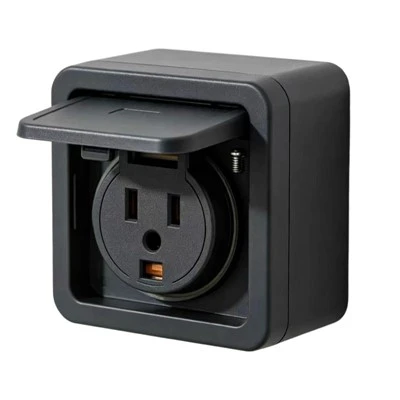
If you’re in the market for PnP-compatible plugs, cables, or devices—whether it’s for your home, office, or shop—we’re here to help. We’ve got a huge range of options, from basic USB plugs to smart power solutions, all tested to work seamlessly with your devices. No confusing specs, no hidden fees, just reliable gear that does what it says it will. Hit us up to chat about what you need, and we’ll hook you up with the right products for your setup.
Plugs References
- Microsoft. (2024). Plug and Play Device Fundamentals. Retrieved from technical documentation archives on hardware interoperability
- USB Implementers Forum. (2023). USB Plug and Play Specification Revision 2.1
- Consumer Technology Association. (2022). "PnP Adoption: User Pain Points and Industry Standards" Report
- Industrial Internet Consortium. (2021). "PnP for Industrial Edge Devices: Deployment Guidelines"
Foshan Haosheng Technology Co., Ltd.
As one of the leading plugs manufacturers and suppliers in China, we warmly welcome you to buy advanced plugs made in China here and get pricelist from our factory. All customized products are with high quality and competitive price.
Address: No.4, Jinsha Liansha Shangliang Development Zone Avenue, Danzao Town, Nanhai District, Foshan City, Guangdong Province, China
E-mail: 13925140140@163.com
WebSite: https://www.hssocket.com/
